Cameras
HD Multi SeaCam®
Compact and highly configurable HD imaging.
A versatile choice for science and industrial use.
ROV/AUV Inspection Tasks
Research and Exploration
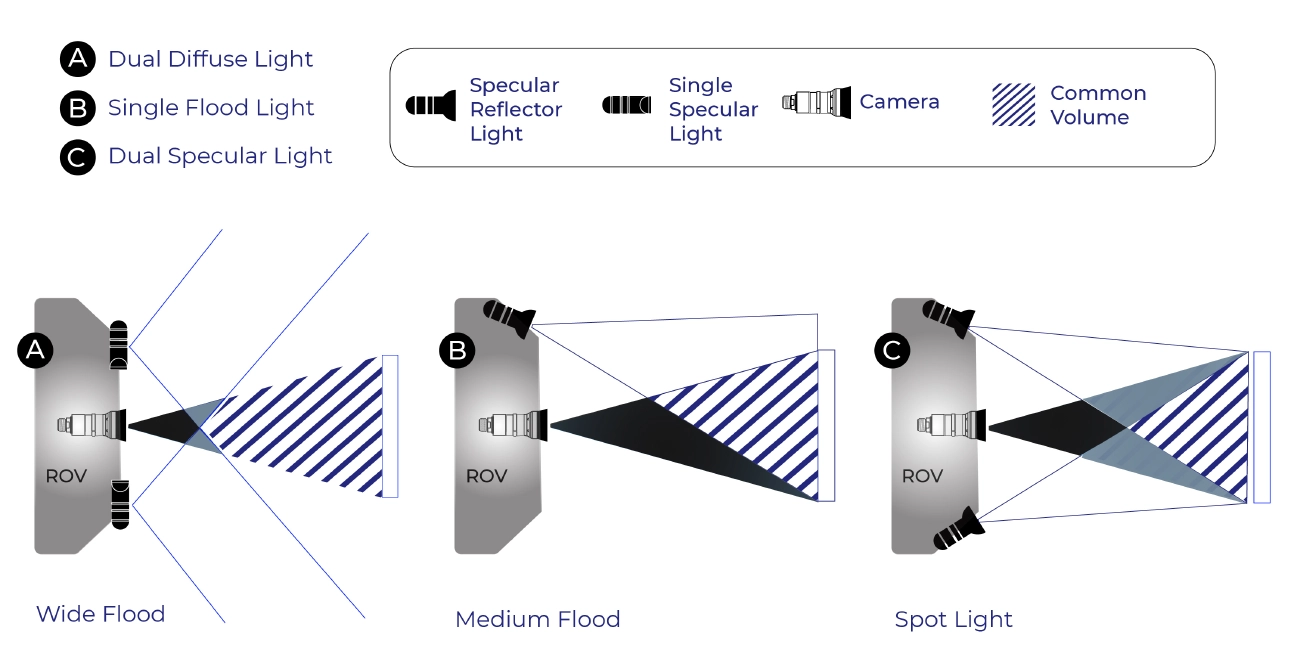
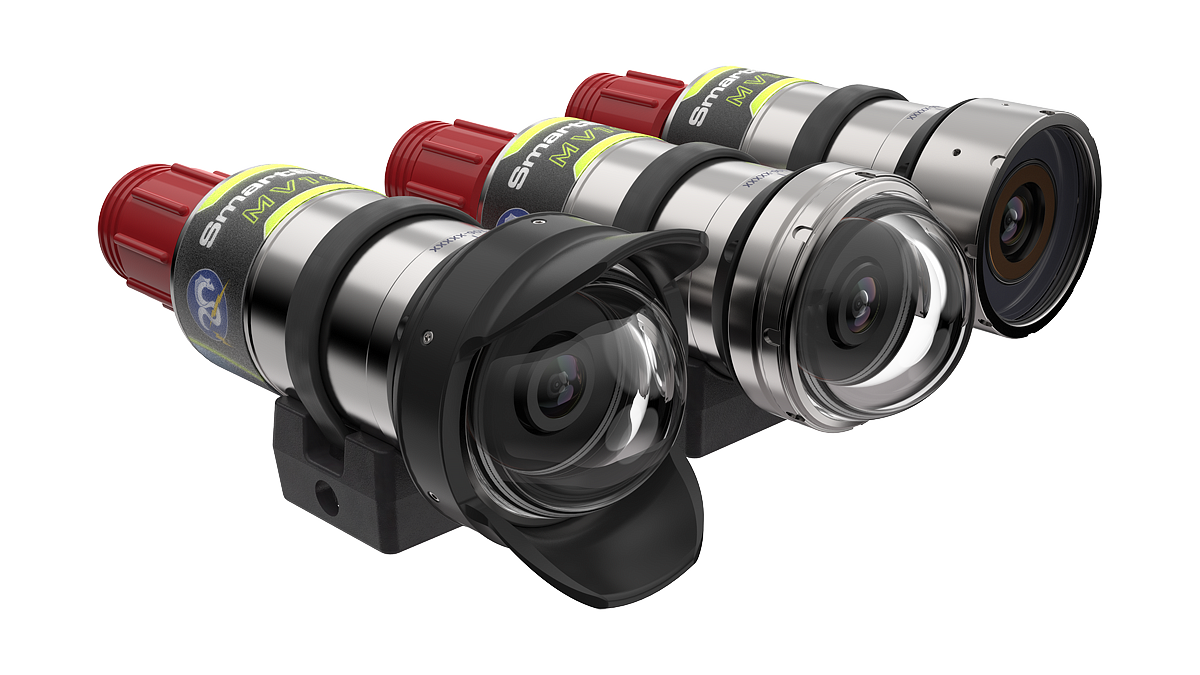
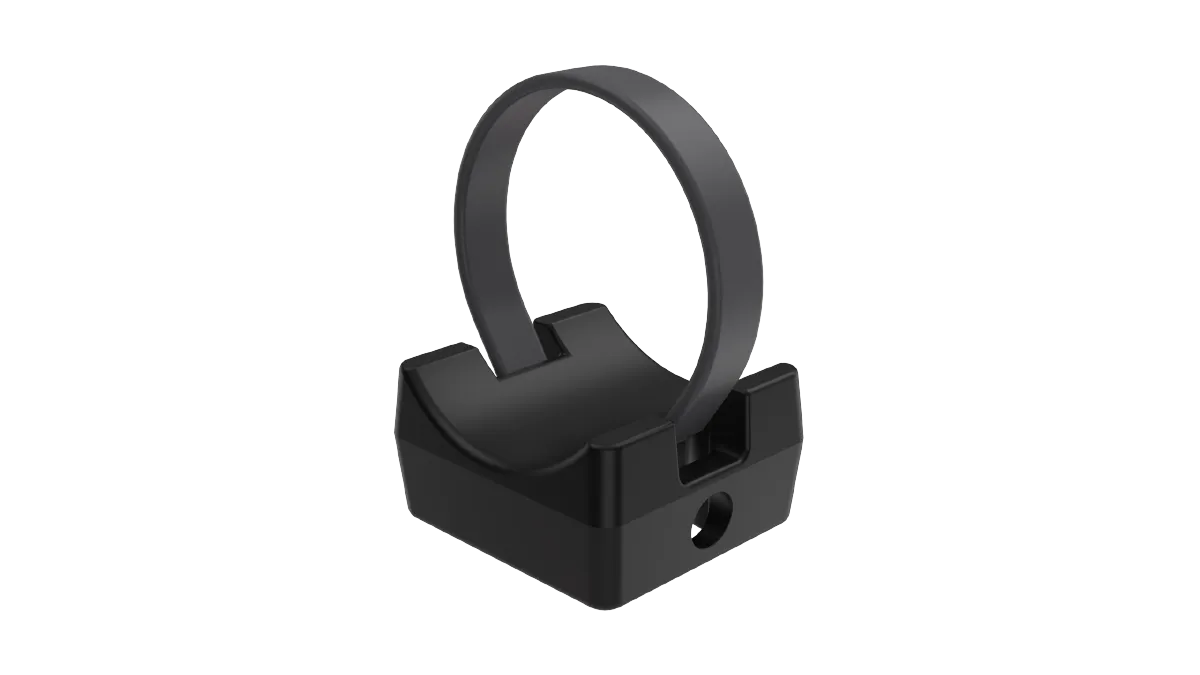
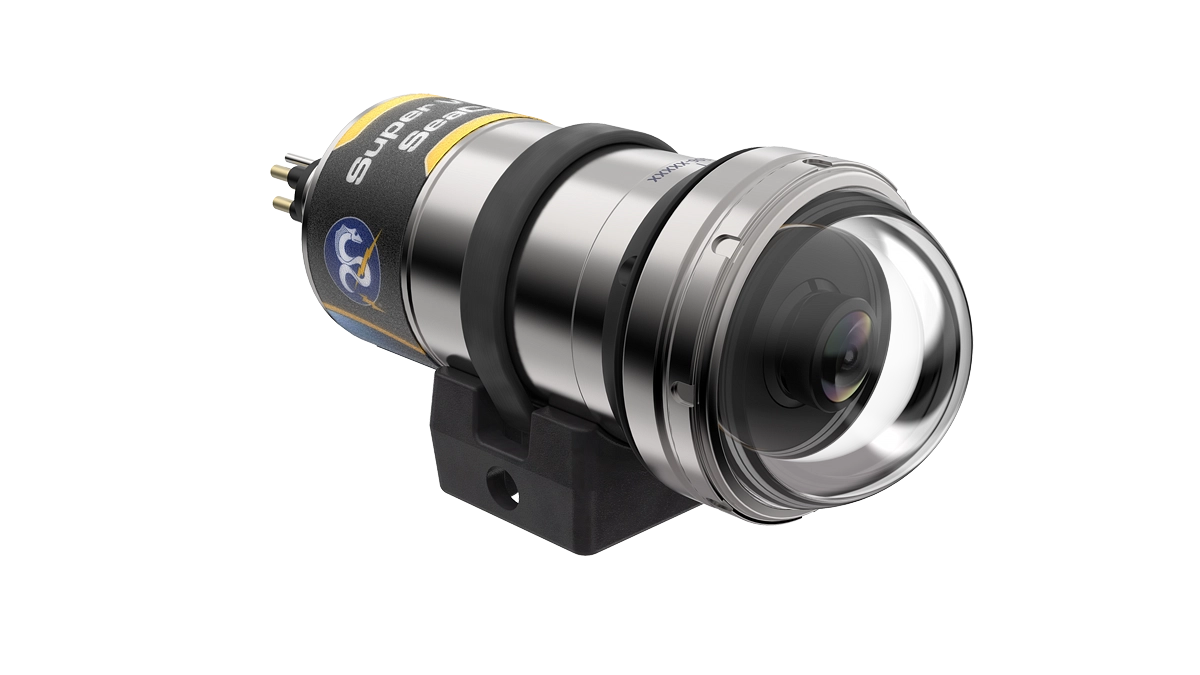
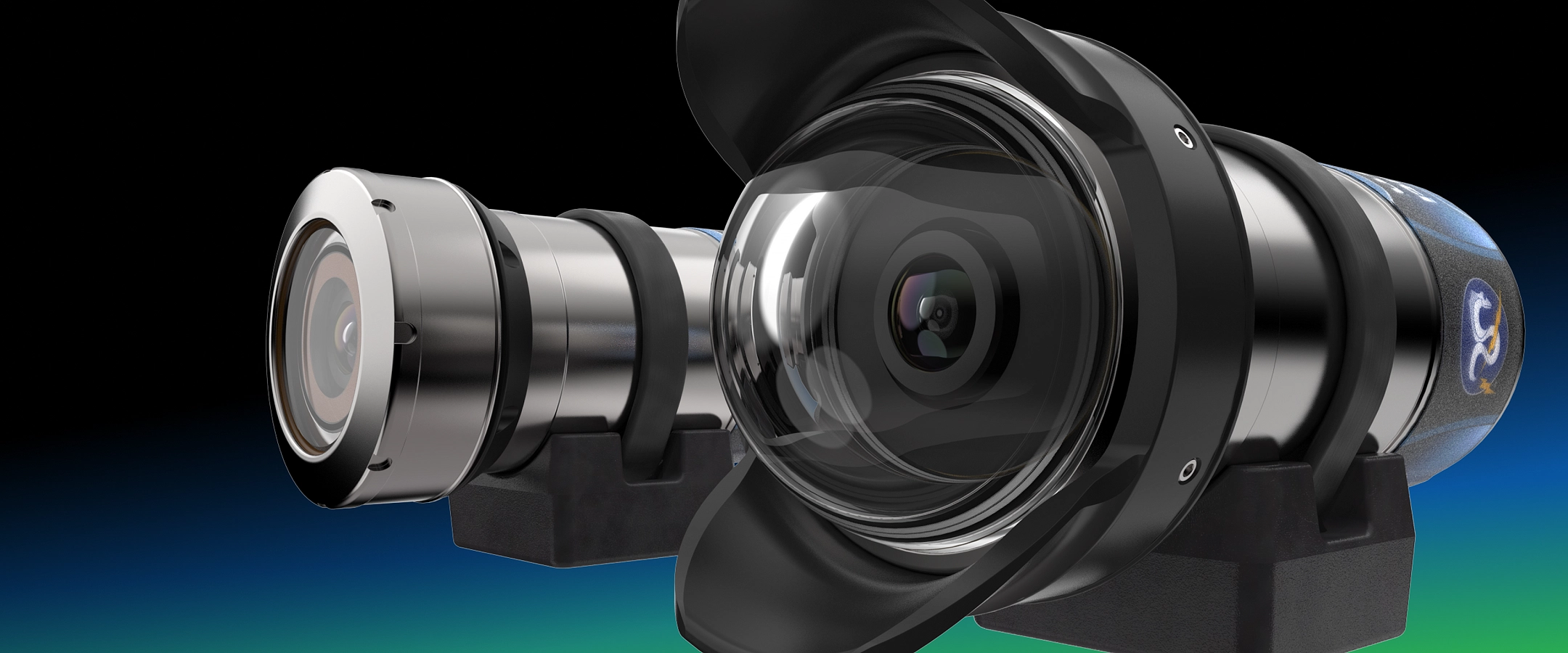
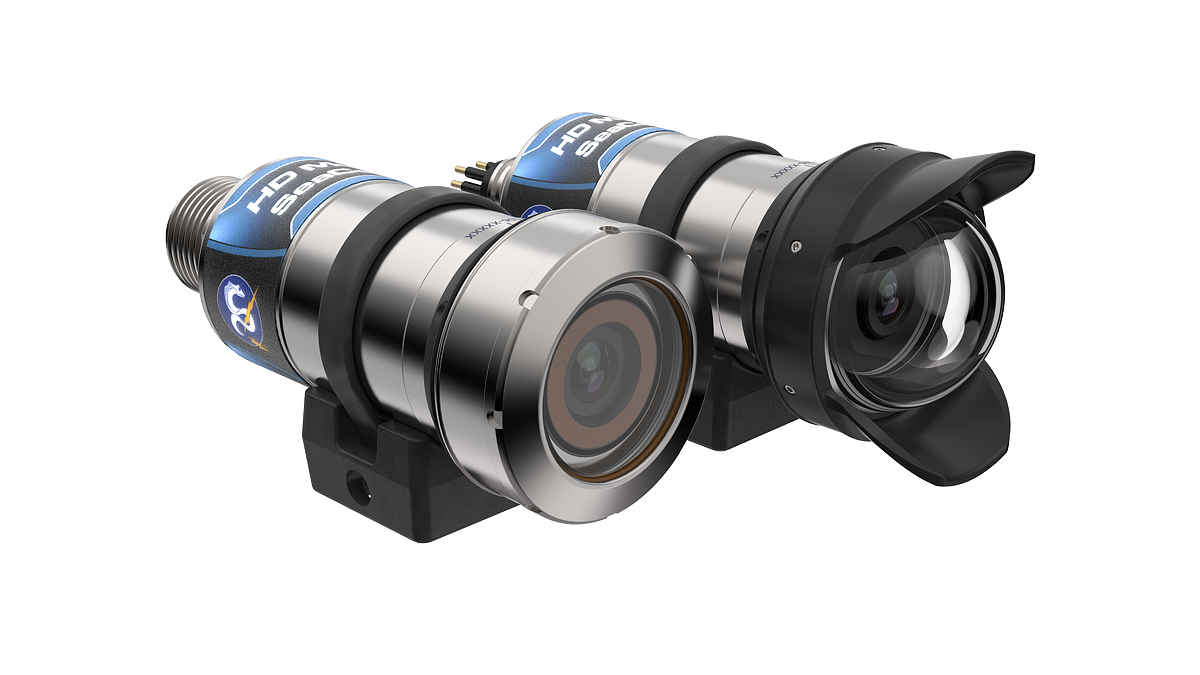
The HD Multi SeaCam® delivers high-quality HD-SDI 1080p/30 video in a compact housing. This subsea camera has minimal distortion in both the 72° HFOV flat port and the 105° HFOV dome port Options include flat sapphire or glass dome port housing and SDI or IP video formats. FleXlink® and coax transmission methods are available. The HD Multi SeaCam includes a mounting bracket with titanium inserts.
Full HD 1080p/30
video output
40-150°
horizontal FOV
Scratch-Resistant Sapphire Port
Up to 11 KM
depth rating
FleXlink®
connector option
Coax connector
option


- Specifications
- Drawings
- Documents & Downloads
Downloads
HD Multi SeaCam® Flat Port
IP Multi SeaCam® Flat Port
IP & HD Multi SeaCam® Dome Port
Documents
Manuals & Specs
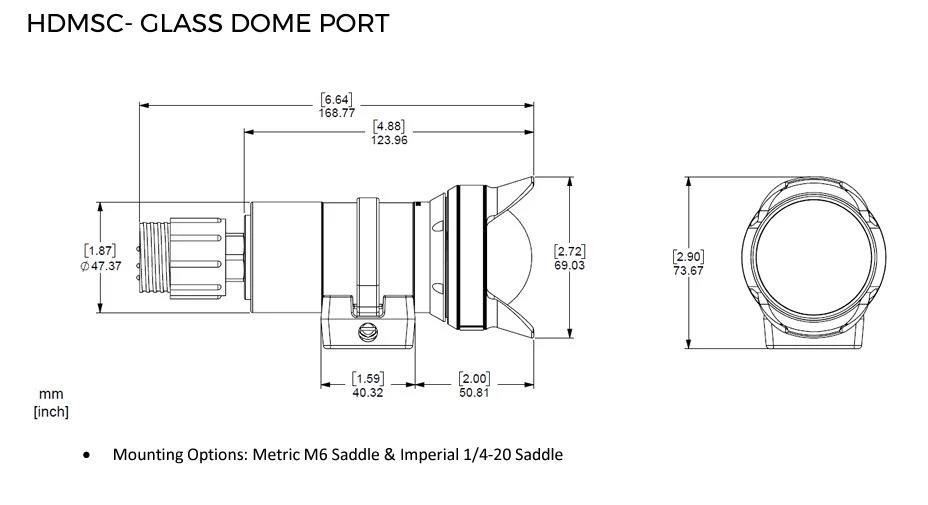
HD Multi SeaCam® – Dome Port
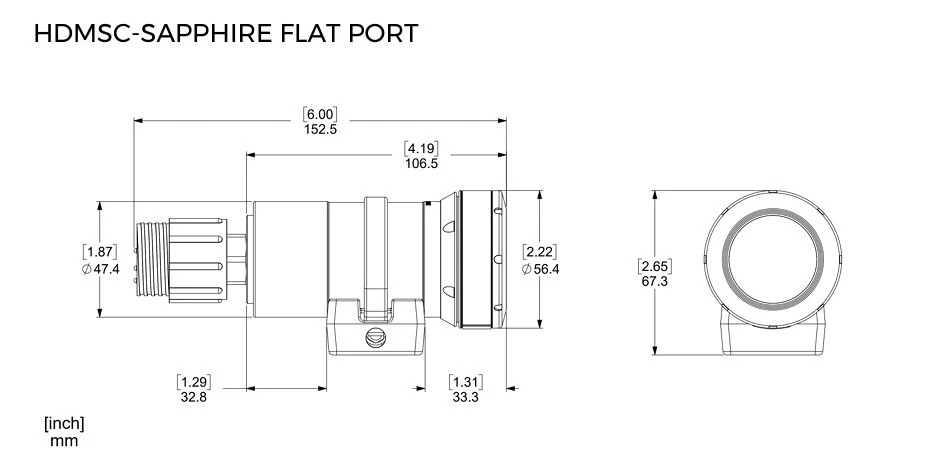
HD Multi SeaCam® – Flat Port
| HDMSC: | 4040‑CX/FX | 4070‑CX/FX | 4085‑CX/FX | 4105‑CX/FX | 4125‑CX/FX | 4150‑CX/FX |
|---|---|---|---|---|---|---|
| Lens | 6 mm, f/5.6 | 2.7 mm, f/2.9 | 1.97 mm, f/3.0 | 2.7 mm, f/2.9 | 1.97 mm, f/3.0 | 2.33 mm, f/2.9 |
| Focus | Fixed, 100 mm to infinity | |||||
| Field of View (Water) | 40° H | 72° H | 85° H | 105° H | 125° H | 150° H |
| Image Sensor | 1/2.8″ CMOS | |||||
| Sensor Resolution | 1945 × 1097 | |||||
| Faceplate Illumination | — | 0.095 [0.002] Lux | 0.095 [0.002] Lux | 0.095 [0.002] Lux | 0.095 [0.002] Lux | 0.095 [0.002] Lux |
| Video Format | 1080p/30/25, 720p/60/50/25 | |||||
| Video Signal | SMPTE‑292 HD‑SDI, 1.5 Gbps over Coax or FlexLink® | |||||
| Housing | Titanium with Sapphire Flat Port | Titanium with Borosilicate Glass Dome | ||||
| Weight in Air | 0.65 kg [1.4 lbs] + 0.65 kg [1.4 lbs] | |||||
| Weight in Water | 0.44 kg [0.98 lbs] + 0.37 kg [0.84 lbs] | |||||
| Default Connector | FlexLink®: SubConn DBH8 Coax: SubConn MFX?CXB?HM Contact Sales for more options | |||||
HDMSC 4040‑CX/FX
Lens
6mm, f/5.6
Focus
Fixed, 100 mm to infinity
Field of View (Water)
72° H
Image Sensor
1/2.8″ CMOS
Sensor Resolution
1945 × 1097
Faceplate Illumination
—
Video Format
1080p/30/25, 720p/60/50/25
Video Signal
SMPTE‑292 HD‑SDI, 1.5 Gbps over Coax or FlexLink®
Housing
Titanium with Sapphire Flat Port
Weight in Air
0.65 kg [1.4 lbs] + 0.65 kg [1.4 lbs]
Weight in Water
0.44 kg [0.98 lbs] + 0.37 kg [0.84 lbs]
Default Connector
FlexLink: SubConn DBH8
Coax: SubConn MFX?CXB?HM
Contact Sales for more options
HDMSC 4070‑CX/FX
Lens
2.7 mm, f/2.9
Focus
Fixed, 100 mm to infinity
Field of View (Water)
40° H
Image Sensor
1/2.8″ CMOS
Sensor Resolution
1945 × 1097
Faceplate Illumination
0.095 [0.002] Lux
Video Format
1080p/30/25, 720p/60/50/25
Video Signal
SMPTE‑292 HD‑SDI, 1.5 Gbps over Coax or FlexLink®
Housing
Titanium with Sapphire Flat Port
Weight in Air
0.65 kg [1.4 lbs] + 0.65 kg [1.4 lbs]
Weight in Water
0.44 kg [0.98 lbs] + 0.37 kg [0.84 lbs]
Default Connector
FlexLink: SubConn DBH8
Coax: SubConn MFX?CXB?HM
Contact Sales for more options
HDMSC 4085‑CX/FX
Lens
1.97 mm, f/3.0
Focus
Fixed, 100 mm to infinity
Field of View (Water)
85° H
Image Sensor
1/2.8″ CMOS
Sensor Resolution
1945 × 1097
Faceplate Illumination
0.095 [0.002] Lux
Video Format
1080p/30/25, 720p/60/50/25
Video Signal
SMPTE‑292 HD‑SDI, 1.5 Gbps over Coax or FlexLink®
Housing
Titanium with Sapphire Flat Port
Weight in Air
0.65 kg [1.4 lbs] + 0.65 kg [1.4 lbs]
Weight in Water
0.44 kg [0.98 lbs] + 0.37 kg [0.84 lbs]
Default Connector
FlexLink: SubConn DBH8
Coax: SubConn MFX?CXB?HM
Contact Sales for more options
HDMSC 4105‑CX/FX
Lens
2.7 mm, f/2.9
Focus
Fixed, 100 mm to infinity
Field of View (Water)
105° H
Image Sensor
1/2.8″ CMOS
Sensor Resolution
1945 × 1097
Faceplate Illumination
0.095 [0.002] Lux
Video Format
1080p/30/25, 720p/60/50/25
Video Signal
SMPTE‑292 HD‑SDI, 1.5 Gbps over Coax or FlexLink®
Housing
Titanium with Borosilicate Glass Dome
Weight in Air
0.65 kg [1.4 lbs] + 0.65 kg [1.4 lbs]
Weight in Water
0.44 kg [0.98 lbs] + 0.37 kg [0.84 lbs]
Default Connector
FlexLink: SubConn DBH8
Coax: SubConn MFX?CXB?HM
Contact Sales for more options
HDMSC 4125‑CX/FX
Lens
1.97 mm, f/3.0
Focus
Fixed, 100 mm to infinity
Field of View (Water)
125° H
Image Sensor
1/2.8″ CMOS
Sensor Resolution
1945 × 1097
Faceplate Illumination
0.095 [0.002] Lux
Video Format
1080p/30/25, 720p/60/50/25
Video Signal
SMPTE‑292 HD‑SDI, 1.5 Gbps over Coax or FlexLink®
Housing
Titanium with Borosilicate Glass Dome
Weight in Air
0.65 kg [1.4 lbs] + 0.65 kg [1.4 lbs]
Weight in Water
0.44 kg [0.98 lbs] + 0.37 kg [0.84 lbs]
Default Connector
FlexLink: SubConn DBH8
Coax: SubConn MFX?CXB?HM
Contact Sales for more options
HDMSC 4150‑CX/FX
Lens
2.33 mm, f/2.9
Focus
Fixed, 100 mm to infinity
Field of View (Water)
150° H
Image Sensor
1/2.8″ CMOS
Sensor Resolution
1945 × 1097
Faceplate Illumination
0.095 [0.002] Lux
Video Format
1080p/30/25, 720p/60/50/25
Video Signal
SMPTE‑292 HD‑SDI, 1.5 Gbps over Coax or FlexLink®
Housing
Titanium with Borosilicate Glass Dome
Weight in Air
0.65 kg [1.4 lbs] + 0.65 kg [1.4 lbs]
Weight in Water
0.44 kg [0.98 lbs] + 0.37 kg [0.84 lbs]
Default Connector
FlexLink: SubConn DBH8
Coax: SubConn MFX?CXB?HM
Contact Sales for more options
Frequently Asked Questions
General HD Multi SeaCam® FAQs
If it is suspected the unit has flooded, what should I do?
For safety reasons, always assume the camera has flooded and take necessary precaution if it stops working underwater. Flooded or even partially flooded housings can present a significant hazard of both electrical shock and explosion. Consult page 5 of the HD Multi SeaCam® Operator’s Manual for steps on dealing with a flooded HDMSC.
Can the HD Multi SeaCam’s housing be opened?
Yes, you can most certainly open the HDMSC, and some operations such as retrieving the IP model’s internal microSD card even require this. These housings are designed to be opened, but just be aware of the consequences of failing to close them properly. Unless needed, it’s always best to leave the the housing closed to preserve the seals. Always remember to protect an open housing from dust contamination by setting its open side down on a clean surface or covering it. Be sure to follow proper close up procedures by removing moisture from the housing and servicing the O-rings as needed. If pressure testing isn’t possible, a fully closed HDMSC can have its seals field-verified by soaking it in water for 8 hrs.
Can the HD Multi SeaCam’s be operated in air for testing?
Yes, the camera should be fine to run in air for long periods. It may get a bit warm, but this should not be dangerous or damaging to the camera.
Why does the domed model HD Multi SeaCam appear out of focus in air?
These cameras are fixed focus cameras optimized for use in water. Their optic’s design compensates for the effects of water on focus as well as the effect of the dome. As such, they don’t appear focused in air, but have very sharp focus in water.
How can you tell if an HDMSC is an IP model or a Coax/FleXlink model?
Your model should have a pinout label on the housing. If this pinout label references COAX/SDI video, serial connections (e.g. ↑RxD/B+ or ↓TxD/A- ), or tristate controls (e.g. OSD or Tri-A/B) then your unit is likely a Coax/FleXlink model. If the pinout only has DC power connections (DC+ or DC-), references PoE, or references ethernet connections (TD-, TD+, RD-, RD+), then it is likely an IP model. If your unit’s labeling isn’t present, please find the unit’s serial number laser etched onto the dorsal surface of the housing, For some domed models, the serial number may be on the dome seat instead. Reach out to DeepSea Support and provide us with this serial number so we can get you an accurate idea of your model’s configuration and pinout.
If an HDMSC is damaged, can it be repaired?
In most cases, damaged or flooded HDMSC’s are repairable to some degree though the unit would have to be evaluated in house to conclude this. All evaluation and repair is handled by our RMA process. Please reach out to support@deepsea.com or submit a support ticket if an evaluation or repair may be in order. Depending on the nature of the issue and condition of the unit in question, DeepSea’s support team may have additional questions or troubleshooting steps before issuing an RMA. Timelines for repair can vary based on current RMA volumes, please advise our team of any urgent deadlines.
Does DeepSea sell spare parts for the HDMSC such as spare domes?
Yes, please contact DeepSea Sales (sales@deepsea.com) to inquire about spare parts kits. Additionally, reach out to DeepSea Support (support@deepsea.com) to be granted access to our collection of instructional guides explaining proper installation of spare parts.
Why won’t VLC (or an NVR) record video from my camera’s RTSP feed?
This can be due to a menagerie of reasons, but if attempting this type of operation on a managed network (such as a corporate or university network), it is typically caused by network security features controlled by your IT department or network administrator. Make sure that your IT department has opened the correct port for RTSP (default 554). If the unit in question isn’t on a managed network or network security has been ruled out as a cause, try disabling the broadcast filter. This setting is found on the web UI under Network Setup > Ethernet. Set it to “off” and then click “submit” at the top right of the page. This setting is an additional security feature that the internal camera module has in order to be used in security or private CCTV applications. It should not be necessary for most oceanographic applications on closed networks. We have tested these cameras with programs such as VLC and with several NVR platforms, so we are confident in its compatibility.
Please contact support@deepsea.com if you continue to have issues after checking network security and disabling the broadcast filter. Please be sure to share the serial number of you unit as well as the devices or programs that you are trying to use to record the RTSP feed.
IP Model FAQs
What is the IP address of my IP camera?
The default IP address for the HDMSC-IP is 192.168.1.250
What is a web UI?
A web UI or web user-interface is a web browser based graphical user interface (GUI) and is the only method for accessing the HDMSC-IP’s settings for IP streaming, imaging, security, and recording.
How can the web UI be accessed on the HDMSC-IP’s?
Connect your unit to a PC via a shared network switch. If your unit is PoE, then use a PoE capable network switch. If your unit is discreetly powered, you can use any DC power supply capable of 10-36 VDC with a 3W max. As the unit starts up, verify that your PC’s ethernet adaptor is set for the same subnet as the camera (e.g. by default, 192.168.1.xxx). This just means to make sure that your PC’s IPv4 address is set so that the first 3 groupings of digits are the same as the camera’s. Then open a web browser and enter the camera’s IP address. Upon successful connection, the browser will ask for login credentials; consult the documentation provided with your camera at the time of sale to get the username and password.
How can I change the image and IP settings of the HDMSC-IP
All settings for the image capture, IP, and security features can be accessed from the web UI. It is recommended that you first save your unit’s settings using the web UI under “Save/Load Setting” before tweaking anything! Also remember to click the “Submit” button at the top right of the web UI to save any new settings.
Help! I’ve changed the login credentials for my unit, but I’ve forgotten them or somehow can’t log into the web UI!
Fear not, for there is a simple fix for this! The unit will need to be opened and its microSD card removed. Consult the How To Guides for detailed steps regarding how to factory reset the HDMSC-IP. Do not hesitate to reach out to DeepSea Support if you run into any issues with the factory reset.
I’ve performed a factory reset successfully, but my HDMSC-IP’s image quality is now performing differently
Each HDMSC-IP is configured with optimized image settings that are considered DeepSea defaults. These settings have been rigorously tested to ensure the best imaging performance for most applications in the deep ocean. However, these DeepSea default settings differ from the camera’s factory default settings which the unit is set to upon factory reset. Reach out to DeepSea support with your unit’s serial number and we can get you a settings file to upload to your unit.
How can I record video to my HDMSC-IP’s removable storage?
All HDMSC-IP’s can record to a removable microSD card provided the unit in question already has a microSD card installed. Settings for this can be found in the web UI.
How much video can the HDMSC-IP record to a microSD card?
The HDMSC-IP can record 9-10hrs of HD video (1080p/30) to a 1TB micro SD card.
Can the HDMSC-IP stream video?
Yes, the camera can stream RTSP video compressed using h. 264 or M-JPEG. Software capable of viewing and or recording streams such as VLC Media Player will be needed. A M-JPEG feed from the camera can also be viewed via the web UI, but viewing is best using the h. 264 streams.
Can the HDMSC-IP’s stream be recorded to external sources?
A network video recorder (NVR) or some kind of software would be needed to view and record the RTSP feeds from the camera to some external file storage system.
SDI/COAX and FleXlink® FAQs
What is the difference between SDI/COAX and FlexLink?
High-definition serial digital interface video (HD-SDI) is HD digital video that is typically transmitted with coaxial (COAX) interconnects in various imaging applications. FlexLink is DeepSea’s propriety, high speed HD-SDI based video format that makes use of unshielded twisted pair (UTP) conductors and a separate FleXlink Media Converter Board to provide low latency fiber optic or SDI coax video outputs.
How can I tell if an HDMSC is SDI/COAX or FleXlink?
If your model has a pin/coax hybridized bulkhead connector then it is coax. If it has pins (8) and isn’t an IP camera, then it is FleXlink. Never connect a FleXlink camera to a PoE enabled ethernet switch.
How can the SDI video stream be accesses from a coax camera?
Traditional videography equipment such as HD-SDI (3G) capable monitors or SDI to HDMI converters can be used to view the cameras SDI feed
Can the image settings be changed for an HDMSC configured for serial control?
DeepSea’s proprietary serial protocol, SeaSense, can be used to send serial command to the camera in order to access the OSD.
Articles & highlights
Product Discovery